
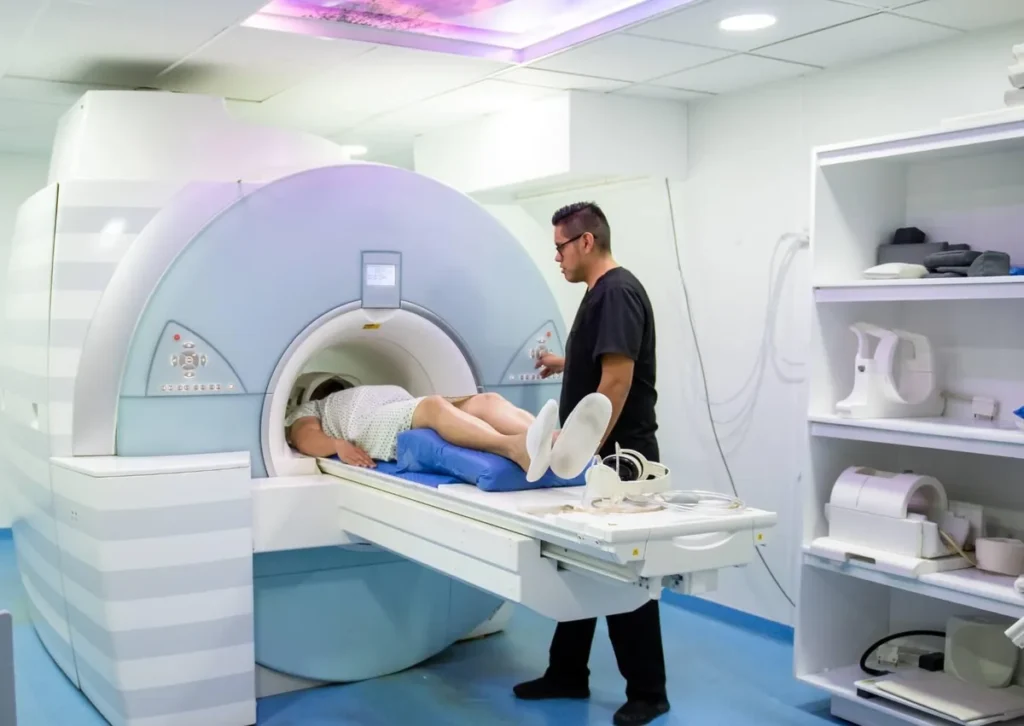
Yes, you can usually have an MRI with dental implants. Most modern implant posts are made of titanium or zirconia, which generally do not pose the strong magnetic attraction concerns associated with some metals. The MRI team still needs to screen your complete dental restoration before the scan.
The main concern is often image quality rather than implant movement. Dental hardware can distort nearby images, particularly when the scan examines the mouth, jaw, face, or neck.
Walden Dental in Austin, TX provides dental implants and personalized guidance to help patients understand their treatment options, implant components, and important considerations for their oral health. Our team can also help you identify relevant implant records to share with your MRI facility when needed.
Key Takeaway: Your dental implants usually will not prevent an MRI, but their components may affect scan conditions or the clarity of nearby images. Tell the MRI facility about all your dental hardware before your appointment so it can assess safety and plan the examination.
Table of Contents
- Why Are Dental Implants Usually Compatible With MRI?
- How Dental Implants Can Affect MRI Images
- What to Tell the MRI Team Before Your Appointment
- Do Crowns, Fillings, Braces, or Dentures Change the Plan?
- What to Do During the MRI and If Plans Change
- Keep Your MRI Plans on Track With the Right Implant Information
- FAQs
Why Are Dental Implants Usually Compatible With MRI?
MRI uses a strong magnetic field and radiofrequency energy to create images without X-rays. Metal-related concerns include magnetic attraction, heating, and image distortion, with the level of concern depending on the material, device design, and scanning conditions. Mayo Clinic’s MRI safety guidance explains why reporting implanted devices and metal before an examination matters.
Titanium is not strongly attracted to magnets, and zirconia is a nonmetal ceramic. These material properties help explain why modern dental implant posts generally do not pose the feared risk of being pulled out during an MRI.
However, an implant restoration includes more than the post in the jawbone. Screws, connectors, crowns, and attachments may contain different materials, so identifying the complete restoration is more useful than simply reporting a “titanium implant.”
Some devices are labeled MR Conditional, meaning they can be scanned only under specified conditions. The MRI facility determines whether its scanner and planned examination meet any applicable requirements; the material name alone does not establish clearance.
How Dental Implants Can Affect MRI Images
An MRI artifact is distortion, signal loss, or misleading brightness that does not accurately represent the underlying tissue. Dental materials can alter the local magnetic field and obscure structures near the restoration.
This matters most when the scan targets nearby anatomy, such as the jaw, tongue, sinuses, or other head and neck structures. Dental hardware is generally less likely to affect image quality when the area being examined is far from the mouth, such as a knee.
An artifact does not automatically mean a scan is unsafe or unusable. Its extent depends on the materials, their location, the scanner, and the imaging sequences, the settings used to collect different types of images.
The radiologist may adjust the technique to reduce distortion. If important anatomy remains obscured, the radiologist and ordering clinician may consider another imaging method. CT, ultrasound, and MRI answer different clinical questions, so they are not always interchangeable.
What to Tell the MRI Team Before Your Appointment
Sharing details in advance gives the facility time to resolve uncertainty and may help prevent delays. Missing records do not automatically rule out MRI, but they may require additional safety review.
- Describe all your dental hardware. Include implants, crowns, bridges, braces, fixed retainers, dentures, and magnetic attachments, not just the implant posts.
- Share available device records. An implant card, manufacturer name, model, material, placement date, or dental treatment record may help identify the components.
- Mention recent treatment or current problems. Report a newly placed implant, temporary restoration, pain, or loose crown or attachment.
- Confirm instructions for removable appliances. Ask what must be removed and whether records need review before you arrive.
Pro Tip: If your records are incomplete, ask your dental office for 3 details: the implant manufacturer, the implant model, and the restoration or attachment type. Send available information to the MRI facility before your visit rather than relying on a description at check-in.
Do not assume that every newly placed implant requires the same waiting period before MRI. Tell the MRI team and treating dentist when it was placed so they can review relevant device instructions and clinical concerns. Do not postpone medically needed imaging on your own.
Do Crowns, Fillings, Braces, or Dentures Change the Plan?
Other dental work does not automatically prevent MRI, but its materials, stability, and location can affect screening and image quality. Removable appliances also need different handling from restorations fixed to your teeth or jaw.
|
Dental Hardware |
Main Consideration |
What You Should Do |
|---|---|---|
|
Fixed implant restorations |
Device-specific conditions and nearby image distortion |
Report the implant and restoration details |
|
Crowns, fillings, and bridges |
Material-dependent artifacts; loose work needs attention |
Report the restorations and any looseness |
|
Braces and fixed retainers |
Potentially substantial distortion near the face and jaw |
Ask whether they could interfere with the planned scan |
|
Removable dentures or partial dentures |
Metal components or attachments may require removal |
Follow the facility’s removal instructions |
|
Magnetic dental attachments |
Magnets and related components require specific assessment |
Identify the attachment system before scanning |
Fixed dental work generally does not need removal simply because an MRI is ordered. If it could prevent a useful examination, the radiologist and dentist can assess whether adjustment or removal is justified, considering the diagnostic need, dental risks, extra visits, and cost.
Watch Out: Flag 2 issues before entering the scan room: magnetic dental attachments and loose dental hardware. A previous uneventful MRI does not establish clearance for the current scan, and you should not try to remove fixed components yourself.
What to Do During the MRI and If Plans Change
Follow the facility’s screening and removal instructions even if you have had an MRI before. Screening your dental work does not replace screening for other implanted devices, metal fragments, or medical equipment.
During the scan, use the call device to report unexpected warmth, pulling, pain, or movement around your dental work immediately. Do not tolerate an unusual sensation simply to finish the examination; the technologist can stop and assess it.
If more information is needed, ask which record or device detail is missing and whether the facility can contact your dentist directly. If another scan or a dental adjustment is proposed, ask how it affects diagnostic usefulness, scheduling, and cost. Confirm any coverage questions with the imaging facility and your insurer.
The goal is to obtain the medical images you need without unnecessary dental treatment or avoidable delays. Early disclosure and appropriate screening help your dental and imaging teams choose a suitable plan.
Keep Your MRI Plans on Track With the Right Implant Information

Having dental implants does not usually prevent you from undergoing an MRI, but proper screening and communication with your imaging team are essential. Knowing your implant details can help the facility assess safety and plan for potential image distortion.
Walden Dental provides dental implant services and guidance in Austin, TX. Contact us by calling +1 512-337-8560 to discuss your dental implant needs or request information about your implant records.
FAQs
Can an MRI pull out a dental implant?
Modern titanium and zirconia implant posts generally do not have the strong magnetic attraction that would cause this concern. The MRI team should still screen the complete restoration, including any unusual or magnetic attachments.
Do I need to remove my implant crown before an MRI?
Usually, a fixed implant crown does not need removal. Do not have it removed unless the radiologist and dentist determine that a specific safety or image-quality issue warrants it.
Can I have a brain MRI with dental implants?
Often, yes, but dental hardware can distort some nearby images. Tell the facility in advance so the radiologist can consider your implant locations and the structures the scan needs to evaluate.
What if I do not know what my implant is made of?
Ask the dentist or specialist who placed or restored it for available device records. If the records cannot be found, tell the MRI facility so its safety team can determine what further assessment is needed.